Set up Customer App access
The Customer App (Home Watch IT Access) allows your customers to access their account, update contacts, see reports and schedules, view and update in residence entries, actions, invoices, and communicate directly with you.
To turn on access to the app, navigate to the Settings Screen and select Integrations. In the middle section select Customer App.
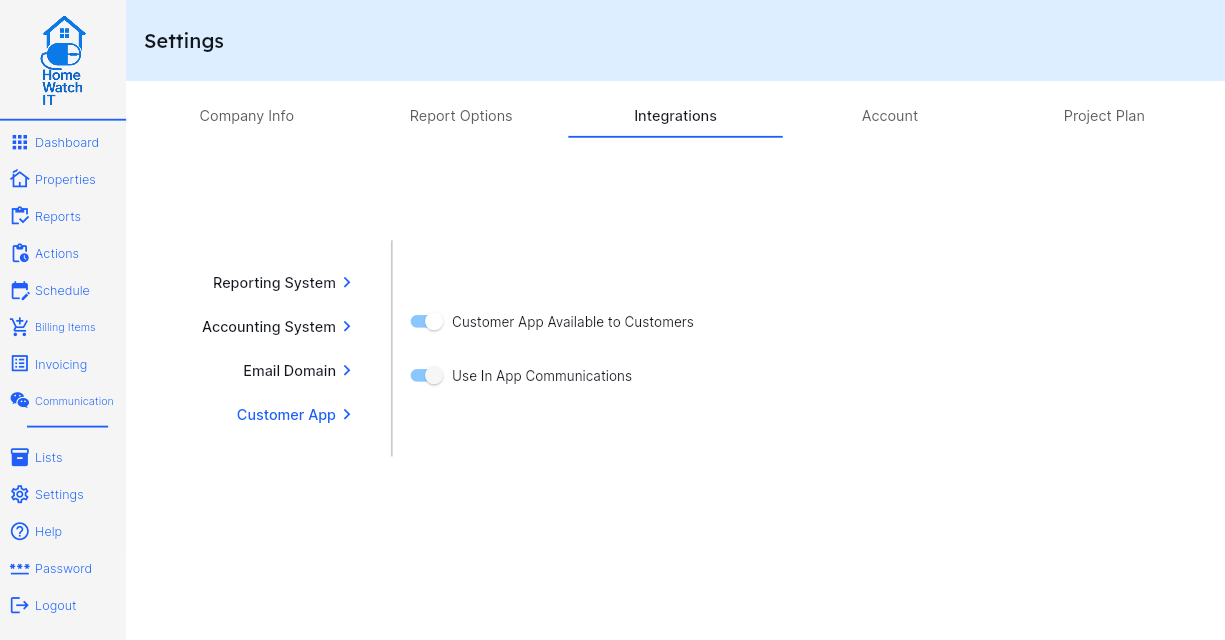
First, turn on access availability. Once that is turned on, you also have the option to turn on communications capabilities within the app. If you turn that on, your customers will have the ability to use a chat-like screen directly in their app that allows them to communicate with you via normal messaging.
Once the above is set, your customers will have the ability to log into the Customer App with their existing email address, so long as you have access turned on for them. Note that the access is by contact, so you can easily have multiple parties on a property each have their own individual access. Please note that if the following switch is not turned on the customer will not have access to the app.
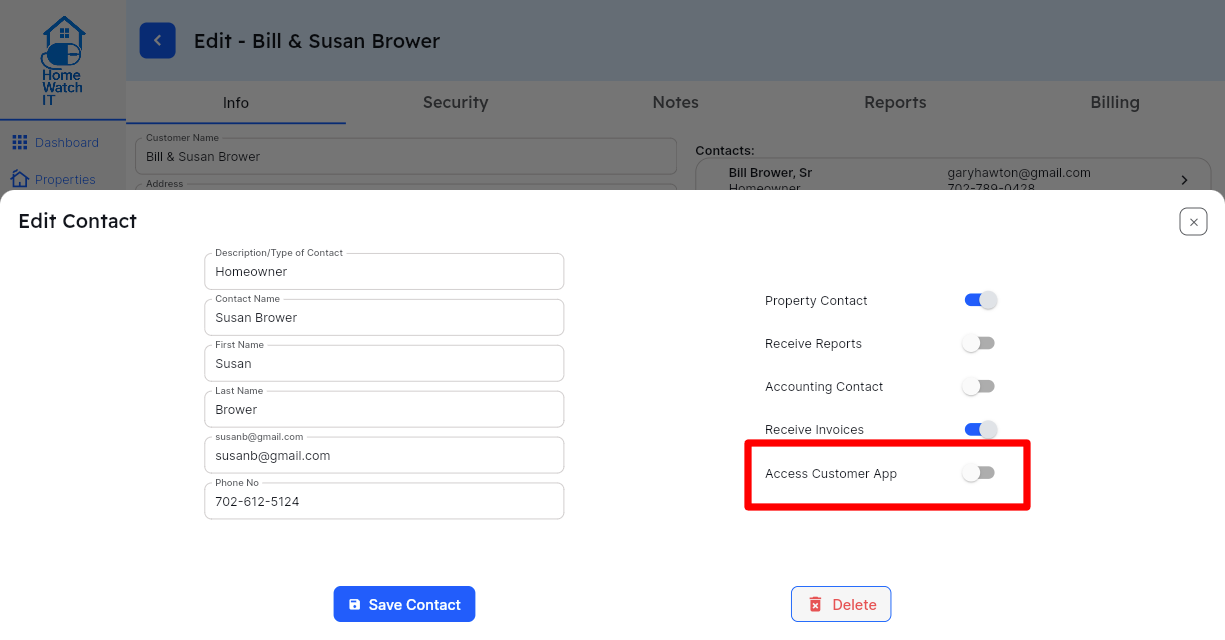
You cannot log into the Customer App using the same email address as your business — your business email is only for the Home Watch Company applications. If however you wish to log into the Customer App in order to try it out, you can do so by adding yourself as a Contact to any customer (test or otherwise) and use an email address other than your business email. It is strongly recommended to not have both apps on the same device — you might encounter an authentication issue between the apps which could result in requiring reinstallation.
You can send your customers this link to get them started: https://www.homewatchit.com/access
Below is also a sample email template you can use to advise your customers about the app:
At [Company Name], we are continually refining our services to provide you with a more seamless, elevated experience.
We are pleased to introduce your new private client app—designed to give you effortless, secure access to every aspect of your home watch service, wherever you are. With a refined, intuitive interface, you can conveniently view:
- Detailed home visit reports
- Current and past invoices
- Your upcoming inspection schedule
- Your “In Residence” details, including stay dates and personalized instructions
This enhanced experience reflects our commitment to delivering clarity, convenience, and peace of mind—whether you’re at home or away.
To begin, simply access the app and follow the prompts to create your secure password using your email address. As always, we remain dedicated to providing you with exceptional care and communication. Should you need any assistance, we are here to help.