Adding an Invoice Message
The accounting systems allow for you to add a message to each invoice, which is easily set up within the accounting system itself. However, neither Zoho nor QuickBooks automatically apply this message to invoices that are generated from outside systems.
If you want to have a message applied to your invoices, such as special payment instructions, you need to put that information into Home Watch IT, and HWIT will sync that info to the accounting system when it creates the invoice. The message will go into the same position as the one that can be created within the Accounting System.
You will find the message on the Settings / Integrations / Accounting screen as shown here:
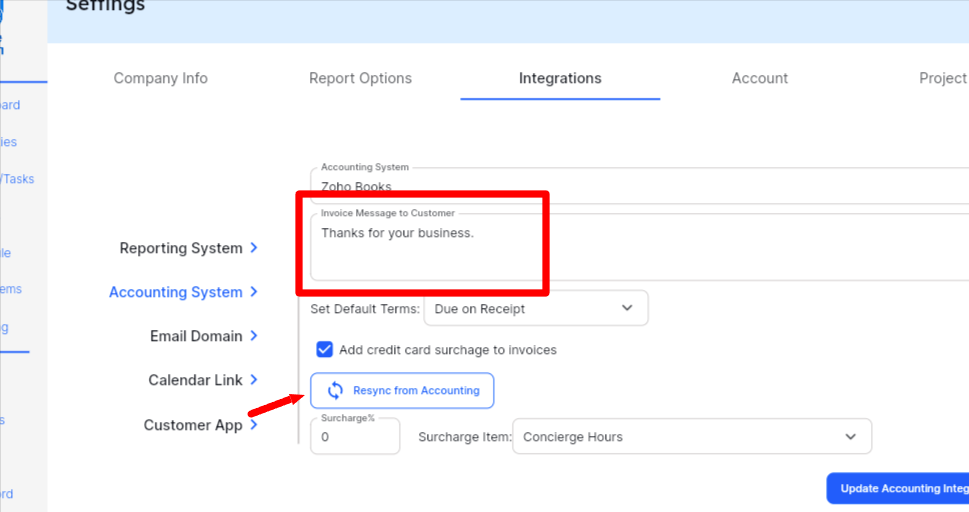
Also pay attention to the Resync from Accounting button — if you press that button the system will retrieve any invoice message you have created in your accounting system and put that into the box here. So, if you have changed the message here it will get overwritten when syncing again. If you want to avoid that from happening, remove the invoice message from the accounting system fully.
If you make any changes to the message, remember to press the Update Accounting Integration save button on the screen.