Visit-Day Notices
Some owners like to know when you are coming. A visit-day notice tells them, on the morning of the visit.
It is a short message: “Sunshine Home Watch: we’re visiting 12 Ocean Dr today”. It goes out at 7am your company’s time, by email, by text, or both.
Turning it on
Section titled “Turning it on”Notices are turned on one schedule at a time. Nothing is sent until you turn one on.
- Go to Scheduling and open the schedule (or click Add Schedule).
- Tick Send the customer a notice on each visit day.
- Click Save.
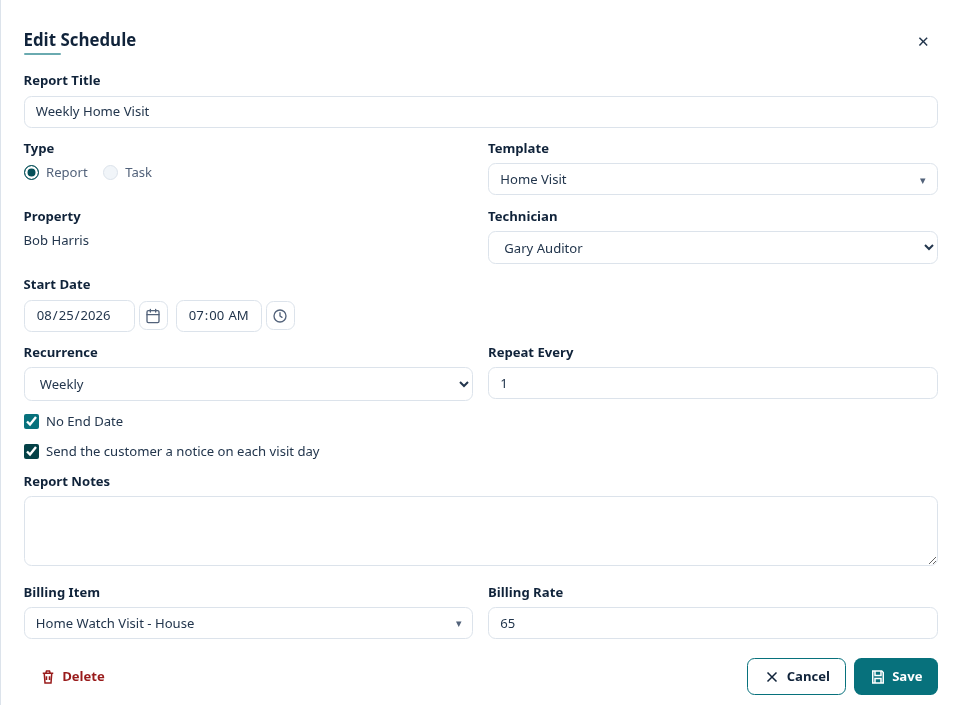
From the next morning on, every visit that schedule creates sends a notice on its day.
To stop, open the schedule again and untick the box.
Who receives it
Section titled “Who receives it”The same people who receive your reports for that property:
- Each property contact with Receive Reports on.
- By email if the property has Send reports by email on.
- By text if the property has Send reports by text on.
- Both, if both are on.
A contact who has unsubscribed from your report emails does not get the email either.
When it is sent
Section titled “When it is sent”- At 7am in your company’s time zone, on the day of the visit.
- Once per property per day. Two visits at the same property on the same day send one notice.
- For open Reports and Tasks only. A visit that is completed, cancelled or blocked by an In Residence period sends nothing.
Changing the wording
Section titled “Changing the wording”The notice uses the Visit-day notice email template.
-
Go to Manage Lists → Email Templates.
-
Click the Visit-day notice row.

-
Edit the subject and the body, then click Save.
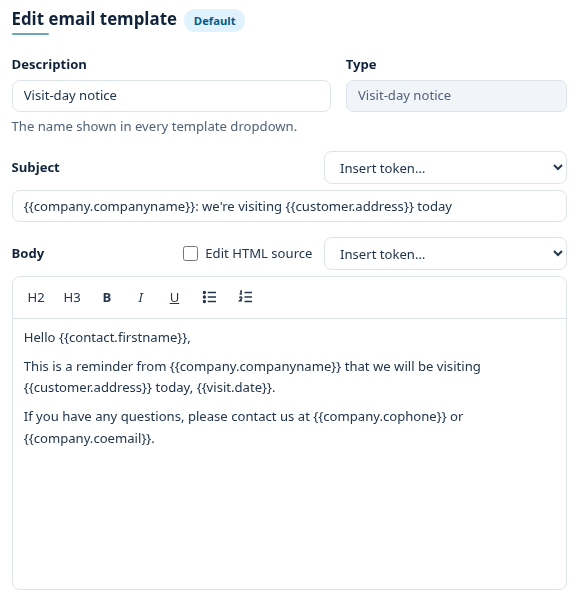
The subject line is also the text message. Keep it short, and keep your company name at the start: texts all come from the same number, so the name is how your customer knows it is you.
Good to know
Section titled “Good to know”- Visits you add by hand (not from a schedule) do not send a notice.
- If you move or reassign a visit after 7am, the customer is not told again. They already have that morning’s notice.
- Texts only go to properties where Send reports by text is on.