Customer Notes Descriptions
The HWIT Fundamentals App allows you to create and update the notes you want to keep for a property in any order or any types that you need, giving you complete flexibility to customize the list.
There are two parts to the Customer Notes:
Category: a way to segment your notes, for example: Exterior Notes, Auto Notes, HVAC Notes, Pool, etc., and
Descriptions: the actual type of note you wish to store. For example for HVAC Notes you may have descriptions of: Filter Sizes, Number of Compressors, Date Filters Changed, Location of thermostats, Desired Temp Settings, etc.
A base set of Categories and Descriptions are provided for you when the system is first configured. You can then tailor the list and rearrange it as necessary.
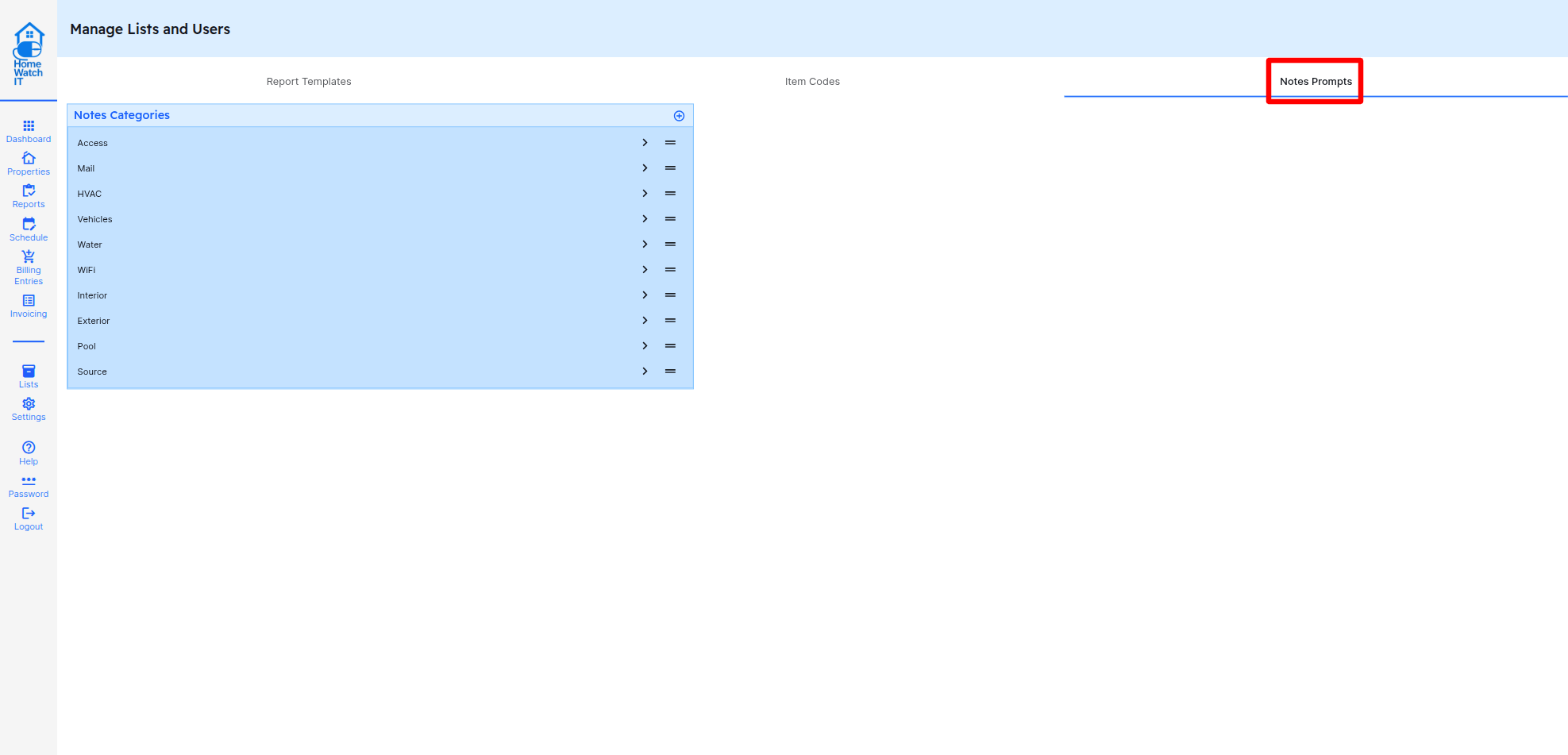
You can do this by going to the Lists screen, and selecting Notes Prompts.
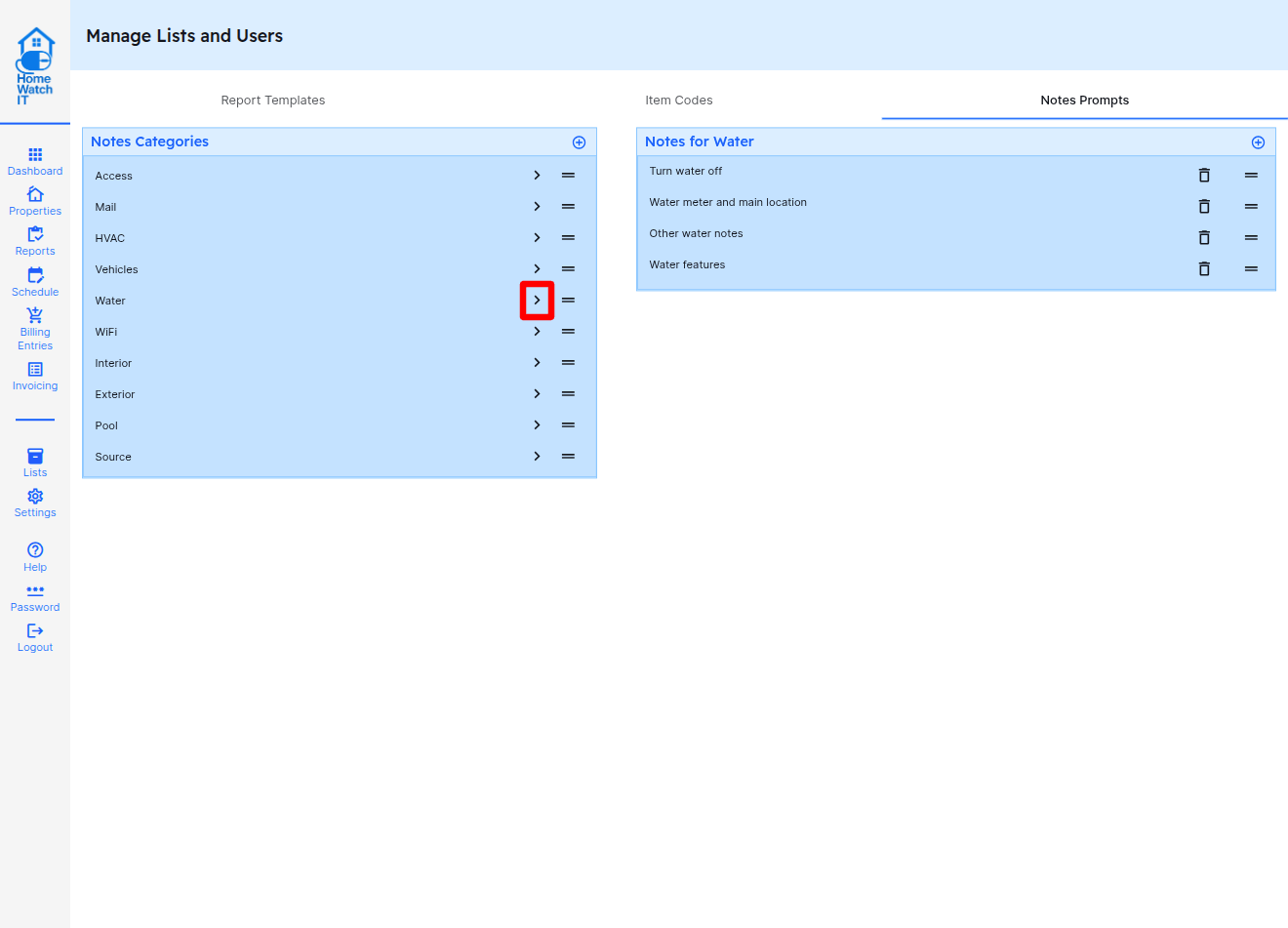
If you want to edit the Water Notes descriptions, click on the > symbol next to Water as in the illustration below. You can then Add additional descriptions by clicking the +, or change the order by dragging and dropping using the 2 bars on any line.
You can also edit the text for any Notes Category or Description by clicking the pencil icon next to the item, or remove it completely by clicking the trash can.