Emailing an invoice to multiple people (QuickBooks)
The HWIT Contacts system is set up for a single email address for each contact — this is necessary for future portal logins and the ability to manage those.
As a result, when syncing a contact with QuickBooks it will only sync a single email address per QB customer. This cannot be changed. However, if you need to send an invoice to multiple people from QuickBooks there is a simple way to manage that.
On the Customer Contacts screen is a switch called “Receive Invoices”. You can turn this switch on for multiple contacts and each of them will receive the invoice when sent from QuickBooks.
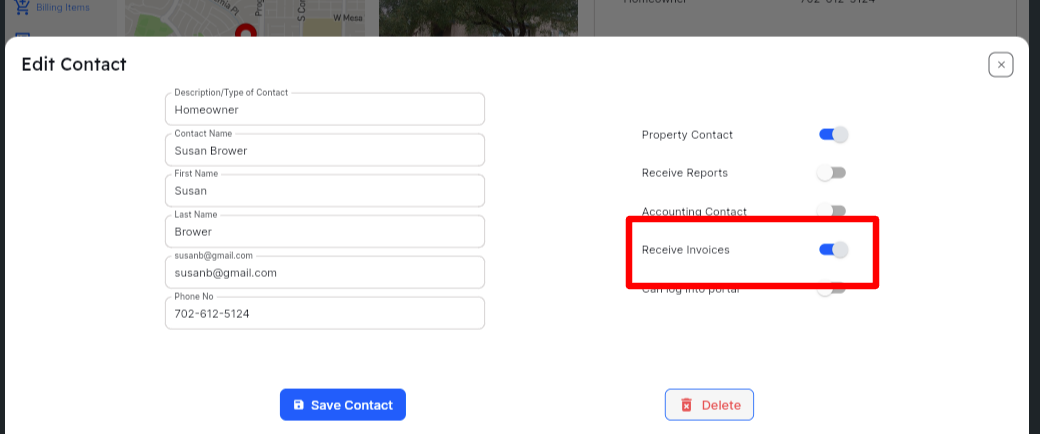
You can select up to 4 contacts that can receive the invoices. When generating the invoices in HWIT, it will automatically populate the email address field in the QB invoice with the addresses selected.