
Managing Vendors and Vendor Visits
The Fundamentals Package does not have a true Vendor Management feature like the Pro Package, however, it is simple to manage vendor information and vendor visits at a simple level.
To keep track of Vendors, enter them in as additional Contacts on your Customers. Specify the type of vendor that they are so that it is easy to find them among the contacts of the property. Note that you do not have to enter any vendors into the system this way, only enter in vendors that you want to track for a particular customer.
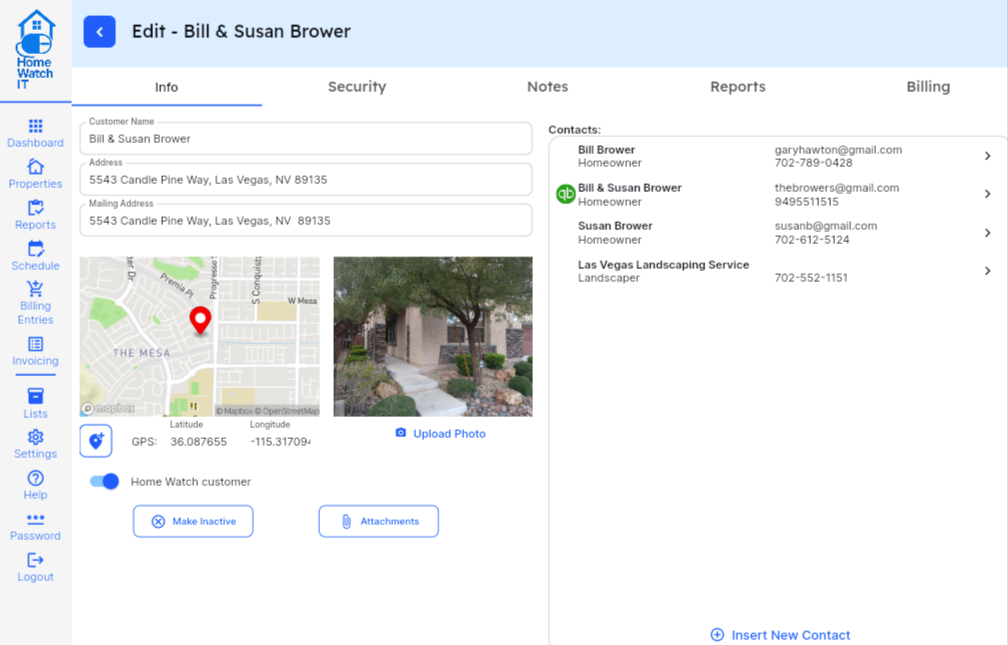
You can see the landscaper information store on the property above. There is no limit to the number of contacts per property, so feel free to store as many service providers/vendors as you need for each property. (Make sure you do not set them as receiving reports, property contacts, etc).
Managing a Vendor Visit and Billing
Section titled “Managing a Vendor Visit and Billing”When you schedule a vendor visit, you simply enter in that information as a scheduled “Report.” Remember that “Reports” are the way you put items on your schedule. So, if you schedule a visit to meet a plumber at a property, you can easily set up a OneTime Report, using your Conciege or Service report template, using a Schedule entry.
Here is an example of adding an upcoming Plumber visit, along with any special notations we need. Note the billing information as well.
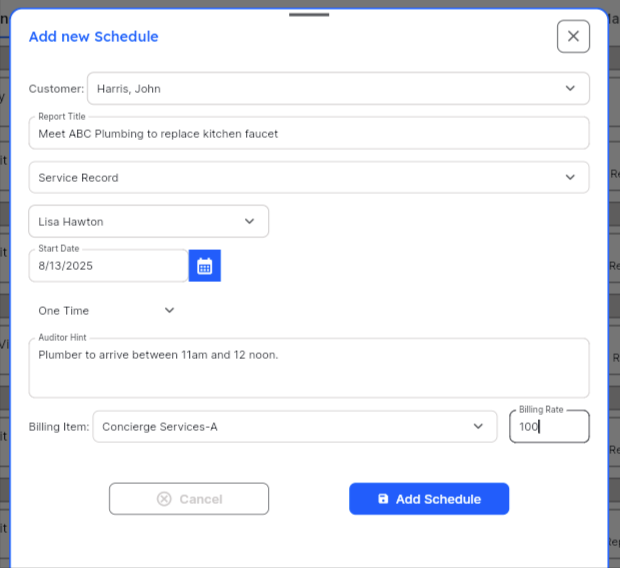
On the date of the service, complete a report as usual, and you can then update the billing items to change the quantity, or even add the vendor’s charges in so that the customer can be billed.
For example, if your plumber charged $350 to replace the kitchen faucet, enter a billing item like the following in order to bill your customer for the charges:
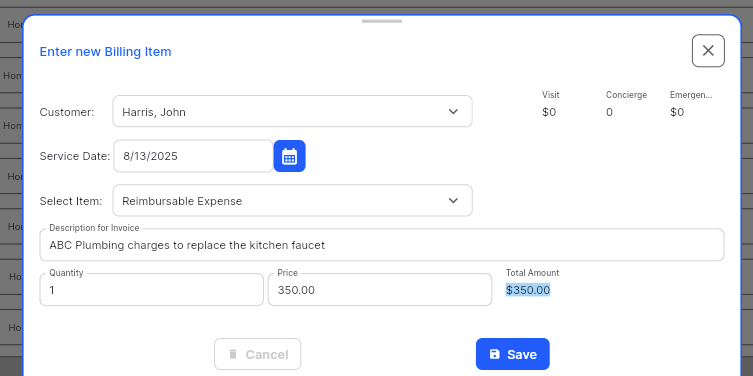
Remember that whatever you type into the “Description for Invoice” box is what will appear on the invoice you send to your customer. So, feel free to make it as descriptive as required!
This has the $350 charge applied to the customer’s invoice when you generate it.
If you have paid, or will pay, the vendor yourself, you need to enter that information into your accounting system to reflect the expense. The invoice will automatically take care of the revenue portion.